Step 1: Sign Up and Access the Platform
Firstly, make your way to translate.taia.io and sign up for a free account. The registration process is quick and straightforward.
Once you’re in, you’ll find an intuitive dashboard that serves as the control room for all your translation needs. Here, you’ll be able to access past and current projects, and of course, start a new one.
Step 2: Start a New Project
To begin translating, simply choose “File Translation” directly in the interactive translation window.
Step 3: Set Up Your Project
Now you’ll configure your translation project in one streamlined interface:
- Project Name - Enter a descriptive name for your project
- Source Language - Select the language of your original content
- Target Language(s) - Choose one or more languages to translate into. Taia supports 189 languages and local variants, so whether it’s Spanish for Spain or Spanish for Latin America, we’ve got you covered!
Step 4: Upload Your Files
- File Upload - Drag and drop your files into the upload area. You can upload up to 100 files at a time, up to a total combined size of 100 MB. Taia supports 65+ different file formats—from Word and Excel to JSON, XML, and even SRT subtitle files. The best part? Your translated files will come back in the same format, with all formatting preserved—no manual editing needed.
Step 5: Upload Translation Memories and Glossaries (Pro Users Only)
If you have a Pro account, you’ll see the option to upload your own Translation Memory and glossaries for this project. This ensures consistent terminology and can save you money by reusing previously translated content.
- Translation Memory - Upload TMX files from previous translations to leverage existing work
- Glossaries - Upload terminology databases to maintain brand consistency across all translations
Note: Free account users won’t see this option. Free accounts include 5,000 words per month of AI translation. Upgrade to Pro to access Translation Memory, glossaries, the CAT Editor, and the full Translation Management System.
Step 6: AI Translation and Instant Download
Once you’ve configured your project and uploaded your files, Taia’s AI translator gets to work immediately. Using enterprise-grade AI models, your content is translated in seconds while preserving all formatting, layout, and structure.
Instant Download - Your translated files are ready to download immediately in the same format you uploaded them. No reformatting needed—just download and use.
Step 7: Optional Professional Review
While AI translation is fast and convenient for most content, you also have the option to order professional translation services:
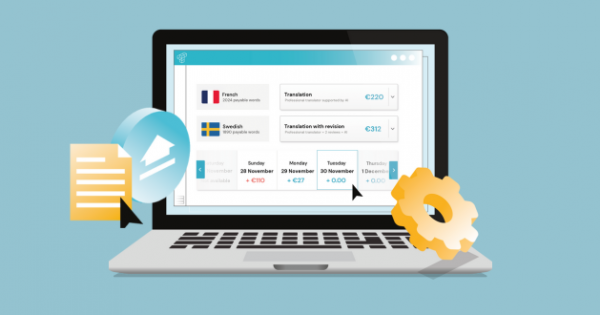
Get a Quote for Professional Translation - Click to see pricing for having your translations reviewed and refined by expert linguists. When you order professional services:
- A dedicated Project Manager is assigned to your project
- Your PM handles all coordination and quality assurance
- You’ll be notified of every step via email
- Expert translators ensure your brand’s tone and style are maintained
- Final delivery is reviewed before it reaches you
This hybrid approach gives you the best of both worlds: instant AI translation when you need speed, and professional review when quality is paramount.
A Special Note: Your Dedicated Project Manager
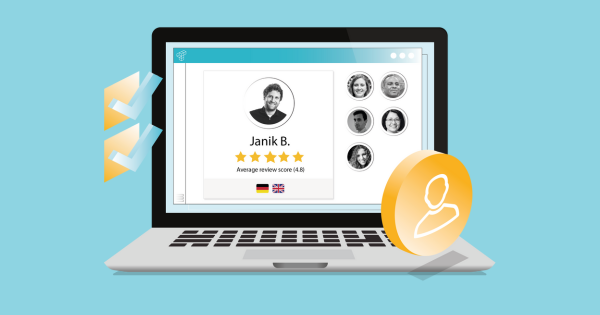
Here at Taia, we assign a dedicated Project Manager to each company account. This ensures that you always have a point of contact who understands your unique requirements, is familiar with your projects, and thus makes sure that your brand’s tone and style are always maintained.
This way we can provide our clients with not just translation accuracy but also consistency and personalization.
Starting a project on Taia is straightforward and user-friendly, but the features under the hood are robust and flexible. The more you use Taia, the more you save, and the more consistent your translations become.
Key features of Taia’s platform:
- AI-powered translation - Fast, accurate translations in 189 languages
- Translation Memory - Automatic cost savings on recurring content (30-60%)
- Glossary management - Maintain brand terminology consistency
- Translation Management System - Streamlined workflows for teams
- Professional review - Expert linguists for quality assurance
- 65+ file formats - DOCX, PDF, XLSX, PPTX, JSON, XML, SRT, and more
- ISO 17100 certified - Professional translation service standards
If You’d Like to Know More, We Offer Personalized Demos to Showcase the Full Capabilities of Taia
Book your demo here or create a free account to get started right away.
Frequently Asked Questions
How do I create my first translation project on Taia?
Creating your first project on Taia is simple with this streamlined process: Step 1: Sign up for free - Go to translate.taia.io, Click “Sign Up” to create your free account, Quick registration with no user role selection needed. Step 2: Start a new project - Click the ”+” button (shows “Start a new project” on hover), Or simply select “File Translation” in the interactive translation window, Most users find “File Translation” the quickest option. Step 3: Configure your project - Enter a descriptive project name, Choose source language (the language of your original content), Select target language(s): Up to 189 languages supported, Translate into multiple languages simultaneously (5+ languages in one project). Step 4: Upload your files - Drag and drop up to 100 files at once, Maximum 100 MB total combined size, Supports 65+ file formats (DOCX, PDF, XLSX, PPTX, JSON, XML, SRT, etc.), Files keep original formatting (no manual cleanup needed). Step 5: Upload Translation Memory/Glossaries (Pro only) - Pro users can upload Translation Memory and glossaries for consistent terminology, Free users won’t see this option (5,000 words/month AI translation included), TM and glossaries connected to your account/organization for consistency across projects. Step 6: Get instant AI translation - Taia’s AI translator processes your files in seconds, All formatting, layout, and structure preserved automatically, Download translated files immediately in original format. Step 7 (Optional): Order professional review - Get a quote for professional translation services, Dedicated Project Manager assigned to handle your project, Expert linguists review and refine translations, Email notifications at every step, Real-time progress tracking in dashboard, Notifications when translation is ready for review/download. Pro tips for first-time users: Upload glossaries if you have brand terminology (ensures consistency), Provide reference materials for context (improves translation quality), Start with small test project to familiarize yourself with platform, Book a demo if you want guided walkthrough before starting. Create your free account and complete your first project in under 10 minutes!
What file formats does Taia support for translation?
Taia supports 65+ file formats across all major document types: Documents and spreadsheets: Microsoft Word (DOCX, DOC) - reports, contracts, manuals, Microsoft Excel (XLSX, XLS) - data sheets, product catalogs, Microsoft PowerPoint (PPTX, PPT) - presentations, training materials, PDF (preserves layout) - brochures, forms, ebooks, Plain text (TXT) - simple content, Rich Text Format (RTF) - formatted documents. Design and desktop publishing: Adobe InDesign (IDML, INDD) - marketing materials, catalogs, Adobe Illustrator (AI) - graphics with text overlays, Adobe Photoshop (PSD) - images with text layers, FrameMaker (MIF, FM) - technical documentation. Web and software localization: HTML/HTM - websites and web applications, XML - structured content and data, JSON - app strings and configuration files, YAML - application localization, XLIFF - industry-standard translation format, PO/POT files - software localization, RESX - .NET application resources, Properties files - Java localization. Multimedia and subtitles: SRT (SubRip) - video subtitles, VTT (WebVTT) - HTML5 video captions, SBV (YouTube subtitles) - video platforms. Other specialized formats: CSV - product data, databases, Markdown (MD) - documentation systems, DITA - structured authoring, LaTeX - academic/scientific documents. Format preservation benefits: Original formatting maintained: Fonts, colors, and text styling preserved, Images, charts, tables stay in place, Page layouts remain intact, Hyperlinks and cross-references functional, No manual reformatting needed after translation. Why format support matters: Upload files in native format (don’t convert to PDF first—loses editability), Download translated files ready to use immediately, Translation Memory works seamlessly across all formats, Saves hours of post-translation formatting work. Handling complex formats: Taia’s platform automatically extracts translatable content, Preserves formatting codes and markup, Protects variables, placeholders, and code snippets from translation, Re-exports in original format after translation complete. Best practices: For web developers: Upload HTML, JSON, or XLIFF files directly (no copy-paste needed), Use glossaries for UI terminology consistency, Leverage Translation Memory for recurring interface strings. For marketers: InDesign IDML files for brochures and catalogs preserve layouts, PowerPoint presentations keep animations and transitions, PDF support for quick review (convert to DOCX for editing). For technical writers: FrameMaker and DITA support for complex documentation, Markdown for developer docs and knowledge bases, Translation Management System handles large documentation sets efficiently. Unsupported or challenging formats: Scanned PDFs without OCR (need text extraction first), Image-only files (require transcription), Handwritten documents, Password-protected or DRM-encrypted files (need unlocking first). What if my format isn’t listed? Contact our team - we often support additional formats not listed, Convert to supported format (Word, PDF, or plain text), Our team can advise on best approach for unusual file types. With 65+ format support, Taia handles virtually all business translation needs—from simple Word docs to complex multilingual software localization projects. Upload your file and see the results instantly!
How does Translation Memory save me money on translation projects?
Translation Memory (TM) delivers 30-60% cost savings on recurring translation content: How Translation Memory works: Building your TM database: As you translate content on Taia, every sentence/segment is saved to your personal Translation Memory, Source language → target language pairs stored in secure database, Previous translations become reusable assets (grows more valuable over time). Automatic matching on new projects: When you upload new content, Taia analyzes it segment-by-segment, Compares against your existing Translation Memory, Identifies exact matches, fuzzy matches, and new content, Calculates cost savings before you commit to project. Match types and savings: 100% (exact) matches: Previously translated segment identical to new content, Cost: FREE or 10-20% of new translation rate, Already approved and consistent with previous work. 75-99% (fuzzy) matches: Segment very similar to previous translation (minor differences), Cost: 30-60% discount vs. new translation, Translator adjusts previous translation (faster than translating from scratch). 50-74% (fuzzy) matches: Partial similarity to previous content, Cost: 20-40% discount, Provides helpful starting point for translator. No match (new content): Content never translated before, Cost: Full translation rate, Gets added to TM for future reuse. Real-world savings examples: Example 1: Quarterly product updates - First quarter: 10,000 words, $1,000 cost (baseline), Second quarter: 10,000 words, 40% TM match = $600 cost (40% savings), Third quarter: 10,000 words, 60% TM match = $400 cost (60% savings), Fourth quarter: 10,000 words, 70% TM match = $300 cost (70% savings), Annual savings: $1,700 (42% average discount). Example 2: Website localization updates - Initial translation: 50 pages, $5,000, Monthly updates: 10 pages changed, 80% TM matches = $200 vs. $1,000 (80% savings), Over 12 months: Save $9,600 on content updates. Example 3: Product documentation revisions - Original manual: 20,000 words, $3,000, Revision with 50% unchanged content = $1,500 (50% savings), Each subsequent revision saves more as TM grows. What content benefits most from TM? High TM leverage (60-80% savings): Product documentation with regular updates, Software UI strings (buttons, menus consistent across versions), Legal contract templates (standard clauses reused), Email campaigns (recurring phrases and CTAs), E-learning modules (consistent terminology and instructions). Medium TM leverage (30-50% savings): Marketing materials with brand messaging, Technical specifications with standard terminology, Customer support FAQs (similar questions/answers), Business reports with recurring sections. Low TM leverage (0-20% savings): Completely new creative content, One-time unique documents, News articles and blog posts (minimal repetition). Compounding value over time: Year 1: 10% average TM leverage (building database), Year 2: 35% average leverage (database maturing), Year 3+: 50-60% average leverage (substantial reusable content). TM works across projects: Translate product manual into German (builds German TM), Later translate marketing materials into German (leverages same terminology), Next translate website into German (even more TM matches), All German projects benefit from cumulative TM. TM ensures consistency: Beyond cost savings: Same term always translated identically (brand consistency), Glossaries + TM = perfect terminology management, Quality improves as TM captures approved translations, Faster turnaround (translators don’t retranslate known content). Best practices for maximizing TM ROI: Upload all previous translations to seed your TM (import TMX files), Organize TM by content type or product line, Maintain glossaries alongside TM for terminology, Review and approve TM matches to ensure quality, Don’t delete TM between projects—it’s a valuable long-term asset. TM ownership: Your Translation Memory belongs to you (export anytime in TMX format), Take it with you if you change providers (no vendor lock-in), Backup for institutional translation knowledge, Valuable business asset that grows with every project. With Taia’s Translation Memory, you don’t just get translations—you build a strategic asset that delivers compounding cost savings year after year. Start your free account and begin building your TM today!
What languages does Taia support for translation?
Taia supports 189 languages covering virtually all global markets: Major world languages: English (US, UK, Australian, Canadian variants), Spanish (Spain, Latin America variants), French (France, Canadian, African variants), German, Italian, Portuguese (Portugal, Brazilian), Chinese (Simplified, Traditional), Japanese, Korean, Arabic, Russian. European languages: All EU official languages (24 languages), Nordic languages (Swedish, Danish, Norwegian, Finnish, Icelandic), Eastern European (Polish, Czech, Slovak, Hungarian, Romanian, Bulgarian), Baltic languages (Lithuanian, Latvian, Estonian), Regional languages (Catalan, Basque, Galician, Welsh, Irish). Asian and Pacific languages: South Asian (Hindi, Bengali, Tamil, Telugu, Urdu, Punjabi), Southeast Asian (Thai, Vietnamese, Indonesian, Malay, Tagalog), Central Asian (Kazakh, Uzbek, Turkmen), Pacific (Samoan, Tongan, Māori). Middle Eastern and African languages: Arabic dialects (Modern Standard, Egyptian, Levantine, Gulf), Hebrew, Persian (Farsi), Turkish, Kurdish, Swahili, Amharic, Hausa, Yoruba, Zulu, Afrikaans. Less common languages: Albanian, Armenian, Azerbaijani, Georgian, Khmer, Lao, Mongolian, Nepali, Sinhala, And 100+ more regional and minority languages. Language variants and localization: Spanish variants: Castilian Spanish (Spain), Mexican Spanish, Argentinian Spanish, Colombian Spanish, Chilean Spanish, And other Latin American variants. French variants: Metropolitan French (France), Canadian French (Québec), Swiss French, Belgian French, African French variants. English variants: US English, UK English, Australian English, Canadian English, South African English. Portuguese variants: European Portuguese (Portugal), Brazilian Portuguese. Chinese variants: Simplified Chinese (Mainland China, Singapore), Traditional Chinese (Taiwan, Hong Kong). Why language variants matter: Cultural differences affect translation (date formats, currencies, idioms), Regional preferences for terminology (car boot vs. trunk, lift vs. elevator), Localization beyond literal translation (marketing localization adapts messaging). Rare language capabilities: Taia’s network includes translators for 189+ languages, Access to native speakers even for uncommon language pairs, Specialized translators for technical, legal, medical content in rare languages. Language pair combinations: Any source language → any target language(s), Translate into multiple languages simultaneously (English → 10 languages in one project), Pivot translations (Japanese → Spanish via English if needed). Quality for all languages: Professional translators are native speakers of target language, Subject matter experts for specialized content (legal, medical, technical), ISO 17100 certified quality for all language pairs. Industry-specific language support: SaaS and technology: Software localization in 40+ languages (UI, help docs, marketing), Technical documentation with specialized terminology, Developer-friendly formats (JSON, XLIFF, PO files). Ecommerce: Product descriptions for global marketplaces, Multilingual SEO for organic traffic, Checkout flows and customer support in local languages. Healthcare and life sciences: Medical terminology in 60+ languages, Clinical trial documentation, Regulatory compliance translations. Legal and financial: Contracts and legal documents, Financial reports and investor materials, Compliance documentation. How to check if your language is supported: Visit our languages page, Contact our team if you have unusual language pair, We can source qualified translators for nearly any language combination. Pricing for rare languages: Common language pairs (English-Spanish, English-French): Standard rates, Less common pairs (English-Finnish, Japanese-Portuguese): 20-30% premium, Very rare pairs (Icelandic-Vietnamese): 40-50% premium, Volume discounts available for all language combinations. With 189 languages supported, Taia enables truly global communication—from major markets to emerging regions. Whatever your target audience, we have native-speaking expert translators ready to help. Start translating into your target markets today!
Do I need a dedicated project manager for translation projects?
Company accounts automatically get a dedicated Project Manager at Taia: What a dedicated Project Manager provides: Single point of contact: One person familiar with your business, translation needs, and preferences, Direct communication channel (email, phone, chat), Faster response times than generic support queue, Relationship builds over time (PM learns your brand voice and requirements). Personalized service: Understands your business: Industry knowledge (SaaS, ecommerce, manufacturing, etc.), Target markets and localization goals, Brand voice, tone, and messaging preferences, Technical requirements and workflows. Project expertise: Assigns best-suited translators for each project type, Manages timelines and ensures deadline adherence, Quality control and review before delivery, Proactive communication about project status. Strategic guidance: Recommends Translation Memory strategies for cost optimization, Advises on glossary development for consistency, Suggests content prioritization for international expansion, Helps optimize translation workflows. Benefits of having a dedicated PM: Consistency across projects: Same PM handles all your work (understands your standards), Maintains institutional knowledge about your preferences, Ensures consistent quality and terminology, Smooth handoffs between projects. Efficiency gains: No need to re-explain requirements every project, PM anticipates your needs based on previous work, Faster project setup (PM knows your preferred workflows), Reduced back-and-forth (PM proactively addresses potential issues). Quality assurance: PM reviews translations before delivery (extra quality layer), Catches issues based on knowledge of your brand, Coordinates with translators to resolve questions, Ensures glossaries and Translation Memory applied correctly. Scalability support: As your volume grows, PM coordinates multiple translators seamlessly, Manages complex multi-language projects (10+ languages), Handles urgent rush projects with priority scheduling. When you get a dedicated PM: Company accounts: Automatically assigned upon account creation, No additional cost (included in company tier), PM reaches out to introduce themselves and schedule kickoff call. Individual accounts: Self-service platform (no dedicated PM), Automated workflows and support via email/chat, Upgrade to company account to get dedicated PM. What the PM relationship looks like: Initial onboarding: Kickoff call to understand your business and translation needs, Review of brand guidelines, style guides, and preferences, Setup of Translation Memory and glossaries, Workflow customization for your team. Ongoing collaboration: Regular check-ins (monthly or quarterly) to review progress, Proactive suggestions for cost savings and quality improvements, Priority access for urgent requests, Strategic planning for upcoming localization needs. Communication channels: Email (primary contact method), Phone for urgent issues or detailed discussions, Platform messaging for quick questions, Scheduled calls for project planning. How PM enhances your results: Example 1: SaaS company scaling internationally - PM advises on prioritizing languages by market potential, Coordinates software localization across UI, help docs, marketing, Builds specialized glossary for technical product terms, Result: 40% faster time-to-market in new regions. Example 2: Ecommerce brand expanding globally - PM recommends Translation Memory strategy for product descriptions, Manages seasonal campaigns across 10 languages simultaneously, Ensures promotional messaging culturally adapted, Result: 25% cost savings, consistent brand voice globally. Example 3: Healthcare company with regulatory needs - PM assigns certified medical translators for clinical documentation, Ensures compliance with regulatory translation requirements, Maintains audit trail for quality documentation, Result: Faster regulatory approvals, zero compliance issues. Cost of dedicated PM: Included free with company accounts (no extra charge), Individual accounts can upgrade to company tier for PM access, ROI: Time saved + quality improvements + cost optimizations > any account cost difference. Comparison: With vs. without PM | Aspect | With Dedicated PM | Without PM | |--------|-------------------|------------| | Onboarding | Guided, personalized | Self-service | | Communication | Direct, fast | Generic support queue | | Quality | PM review layer | Automated only | | Strategy | Proactive advice | You figure it out | | Efficiency | Optimized workflows | Manual every time | Bottom line: Dedicated Project Managers transform translation from transactional service into strategic partnership. Your PM becomes an extension of your team—understanding your business, anticipating needs, and optimizing results. For companies with ongoing translation needs, the PM relationship is invaluable for quality, efficiency, and peace of mind. Create a company account to get assigned your dedicated Project Manager and experience personalized translation management!

Localization Experts
The Taia team consists of localization experts, project managers, and technology specialists dedicated to helping businesses communicate effectively across 189 languages.